Learn how to simplify FortiGate 200F configuration with CogniFire, using AI to reduce repetitive firewall configuration tasks and improve deployment efficiency.
Introduction
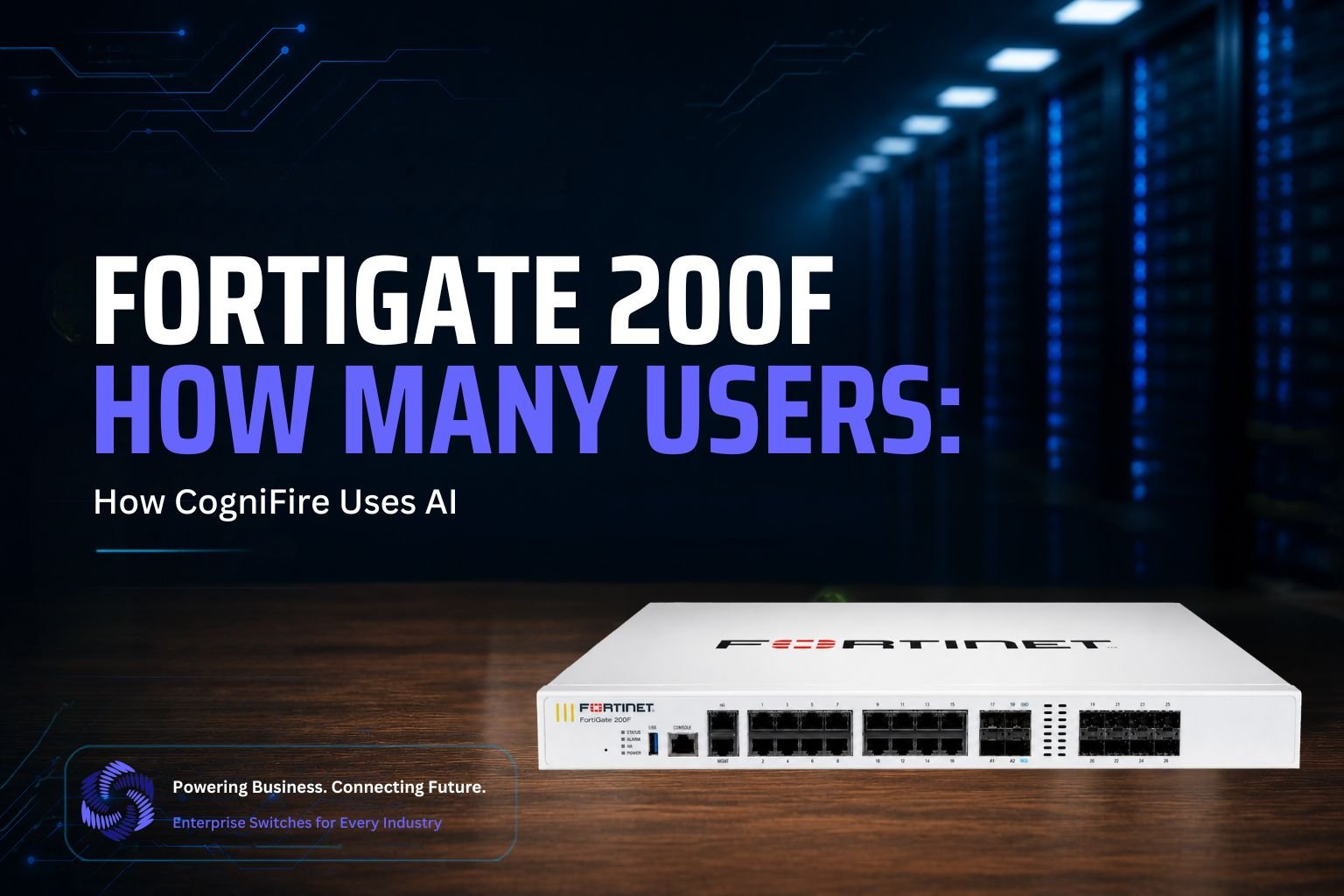
Imagine your enterprise network is under constant attack from ransomware, data breaches, and cyber threats lurking at every corner. What if there was a single appliance that could protect up to 300 concurrent users while processing 27 Gbps of traffic? The Fortinet FortiGate 200F is a powerhouse next-generation firewall designed for mid-sized to large organizations. This compact 1RU device delivers military-grade protection, advanced threat prevention, and secure SD-WAN capabilities in one solution. With support for 3 million concurrent sessions, it scales effortlessly across campus networks and branch offices. The FortiGate 200F combines enterprise-grade security with affordability, making it the trusted choice for businesses that refuse to compromise. But here’s the critical question: Is your current firewall truly built to handle what’s coming next?
FortiGate 200F How Many Users?
The FortiGate 200F is rated for 200-300 users, making it an ideal solution for mid-sized to large enterprises and branch office deployments. This user capacity specification is crucial when determining whether the FortiGate 200F is the right firewall appliance for your organization’s needs.
User Capacity Range
The FortiGate 200F is designed to support 200-300 users effectively, which means it can simultaneously protect and manage traffic from approximately 200 to 300 concurrent end-users without compromising performance or security. Some sources indicate the rating extends to 201-300 users, depending on the specific configuration and deployment model.
What This Means for Your Organization
A 200-300 user capacity rating indicates that the FortiGate 200F is specifically engineered for:
- Mid-Sized Enterprises: Organizations with 200-250 active users can deploy this device with confidence that it will handle typical workloads efficiently
- Branch Offices: Regional offices, manufacturing plants, and distributed locations with moderate employee counts
- Campus Networks: Educational institutions, hospitals, and corporate campuses with multiple departments requiring centralized security
Performance Beyond User Count
While the device supports 200-300 users, its actual technical capability extends far beyond this metric. The FortiGate 200F delivers 27 Gbps firewall throughput and 2 Gbps SSL VPN throughput, allowing it to handle intensive data transfers and encrypted connections from all connected users simultaneously without performance degradation.
Simplifying FortiGate 200F Configuration with AI
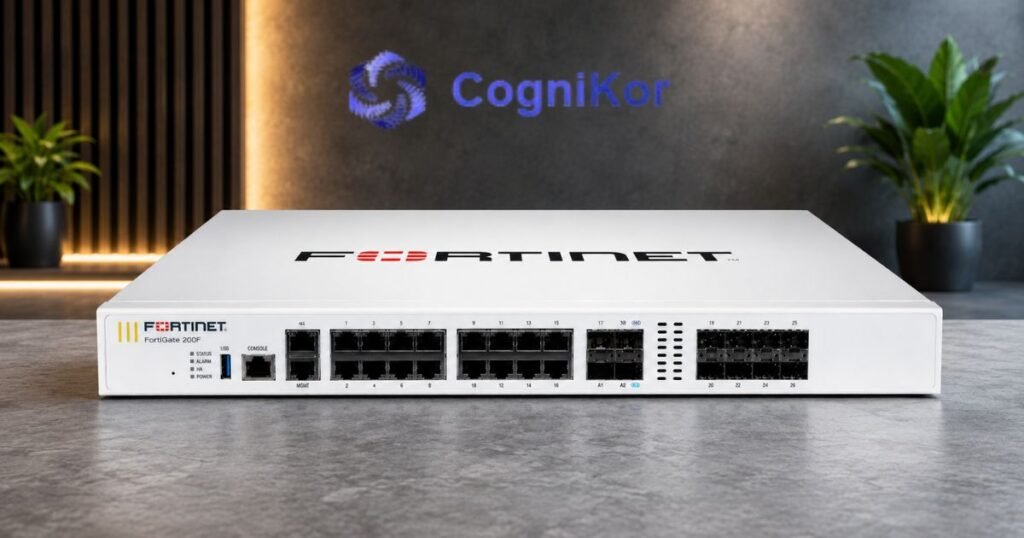
The FortiGate 200F is designed for organizations that need reliable firewall protection and advanced security capabilities across their enterprise networks. But deploying a firewall is only the beginning. Configuring interfaces, policies, NAT rules, VPN settings, security profiles, and other parameters can require significant time and careful attention from network and security engineers.
As firewall environments grow, engineers often find themselves repeating the same configuration tasks across different deployments. The work may be necessary, but it does not always require the full attention of an experienced engineer.
This is where CogniKor’s CogniFire can help. CogniFire applies Artificial Intelligence to automate FortiGate firewall configuration, helping engineers generate and prepare configurations based on defined requirements instead of building every configuration manually.
The goal is simple: reduce repetitive work while allowing engineers to remain in control of the configuration and deployment process.
What Makes FortiGate 200F Configuration Challenging?
A FortiGate deployment can involve multiple configuration components that need to work together correctly. Depending on the network requirements, engineers may need to configure:
- Interfaces and zones
- VLANs
- Firewall policies
- NAT policies
- Address objects and groups
- Service objects
- Routing
- VPN configuration
- Security profiles
- Administrative access
- Network segmentation
For an experienced engineer, these are familiar tasks. The challenge comes from repeating them across multiple environments, devices, or projects.
Manually creating similar configurations increases the amount of engineering time required and can make it harder to maintain consistency between deployments.
How CogniFire Simplifies FortiGate Configuration?
CogniFire is designed specifically to address the repetitive side of firewall configuration.
Instead of starting with a blank configuration and manually entering commands, engineers can provide the required firewall parameters and deployment requirements. CogniFire uses AI to help translate those requirements into a structured FortiGate configuration.
This can significantly simplify activities such as creating firewall policies, configuring network objects, preparing NAT rules, and establishing other required firewall settings.
The engineer remains responsible for reviewing and approving the configuration, while CogniFire handles much of the repetitive configuration preparation.
From Requirements to Configuration
One of the key advantages of AI-assisted configuration is the ability to work from requirements rather than individual CLI commands.
- For example, an engineer may need to establish a network segment for a specific department, define its permitted services, configure the required interfaces, and apply the appropriate firewall policy.
- Instead of manually building each related configuration element, CogniFire can help generate the required configuration based on the defined requirements.
- This approach allows engineers to spend less time writing repetitive commands and more time reviewing the overall network design and security requirements.
Consistency Across FortiGate Deployments
Consistency is particularly important when organizations operate multiple FortiGate deployments.
- Using a standardized approach to configuration helps engineers maintain similar structures and policies across environments while reducing the amount of manual configuration required for each new deployment.
- CogniFire supports this approach by helping engineers generate configurations based on defined requirements and established configuration standards.
- The result is a more efficient configuration process without requiring engineers to repeatedly recreate similar firewall configurations from scratch.
AI That Supports Engineers, Not Replaces Them
The purpose of CogniFire is not to remove the engineer from the process.
- Firewall configuration requires technical judgment, security knowledge, and an understanding of the organization’s network architecture. AI can assist with the repetitive work, but engineers should retain control over what is ultimately deployed.
- CogniFire therefore acts as an AI-powered configuration assistant that helps transform requirements into firewall configurations, allowing engineers to review, refine, and approve the final result.
- This creates a practical balance between automation and engineering expertise.
CogniFire vs. Traditional FortiGate Configuration
| Area | Traditional Configuration | CogniFire |
| Configuration creation | Engineers manually build configurations and CLI commands | AI assists in generating configurations from defined requirements |
| Repetitive tasks | Repeated manually for each deployment | Repetitive configuration work is automated |
| Configuration consistency | Depends heavily on individual engineering practices | Supports standardized configuration generation |
| Deployment preparation | Requires significant manual preparation | Configuration preparation is streamlined through AI |
| Firewall policies | Manually created and structured | AI assists in preparing policy configurations |
| Network objects and NAT | Manually configured | AI assists with configuration generation |
| Engineer involvement | Engineers perform most configuration preparation | Engineers review, refine, and approve the generated configuration |
| Time spent on routine work | Higher | Reduced |
| Engineering focus | More time spent on repetitive configuration | More time available for architecture and security decisions |
| Scalability | Manual effort increases with additional deployments | AI-assisted configuration helps scale the process more efficiently |
The Business Value of Automated FortiGate Configuration
For organizations deploying FortiGate firewalls, AI-assisted configuration can help reduce the time spent on repetitive engineering activities and accelerate infrastructure projects.
With CogniFire, organizations can benefit from:
- Faster FortiGate configuration preparation
- Reduced repetitive CLI configuration work
- More consistent firewall deployments
- Improved configuration standardization
- Reduced manual effort for network engineers
- Faster rollout of new firewall environments
- Greater engineering productivity
- More time for security architecture and strategic work
The value is not simply faster configuration. It is giving skilled engineers more time to focus on work that requires their expertise.
A Smarter Approach to FortiGate Configuration
Enterprise firewall deployments will continue to become more complex as organizations expand their networks and security requirements. Yet engineers should not have to spend increasing amounts of time repeating the same configuration tasks.
CogniFire brings AI into the FortiGate configuration process to make that work simpler and more efficient. By automating repetitive configuration activities while keeping engineers involved in review and deployment decisions, CogniFire helps organizations accelerate firewall projects without changing the role of the network security professional.
For teams working with FortiGate infrastructure, the opportunity is straightforward: use AI to handle repetitive configuration work and let engineers focus on building secure, effective networks. Discover how CogniFire can simplify firewall configuration through AI at https://cognikor.com/.
FAQ’s
The FortiGate 200F delivers 5 Gbps of IPS throughput, providing robust intrusion prevention capabilities while inspecting network traffic for malicious activities.
Yes, the FortiGate 200F includes ZTNA capabilities that enforce identity-based access and continuous session verification, making it suitable for modern security architectures that require zero-trust implementation.
Yes, the FortiGate 200F is built to support hybrid work and cloud-first infrastructures with secure SD-WAN and deep visibility features. It provides the necessary security controls for organizations with distributed infrastructure.
The FortiGate 200F can manage up to 256 FortiAPs (total) with 128 in tunnel mode, providing centralized management for wireless access points across enterprise networks.
The FortiGate 200F can handle 280,000 new TCP sessions per second, which demonstrates its ability to manage high connection rates in dynamic network environments with constantly changing traffic patterns.
Conclusion
The FortiGate 200F is an excellent choice for mid-sized enterprises requiring a reliable next-generation firewall for 200-300 users. With 27 Gbps firewall throughput, 2 Gbps SSL VPN throughput, and support for 3 million concurrent sessions, it delivers enterprise-grade performance and security without unnecessary complexity. Whether you’re protecting a campus network, managing branch offices, or supporting hybrid workforces, the FortiGate 200F provides the robust protection and scalability your organization needs to safeguard against modern cyber threats while maintaining optimal network performance.