Discover UniFi Switch solutions for scalable networking. High-performance PoE switches with easy management via UniFi Controller. Order today.
Introduction
What if you could power your entire network routers, cameras, access points, and more through a single, smart device? That’s exactly what a UniFi Switch brings to the table. As the backbone of the UniFi ecosystem, these switches combine high-speed data transfer, Power over Ethernet (PoE) capability, and intuitive network management into one seamless solution. From small home networks to large-scale enterprise deployments, UniFi Switches have become the go-to choice for IT professionals and tech enthusiasts alike. Let’s explore why.
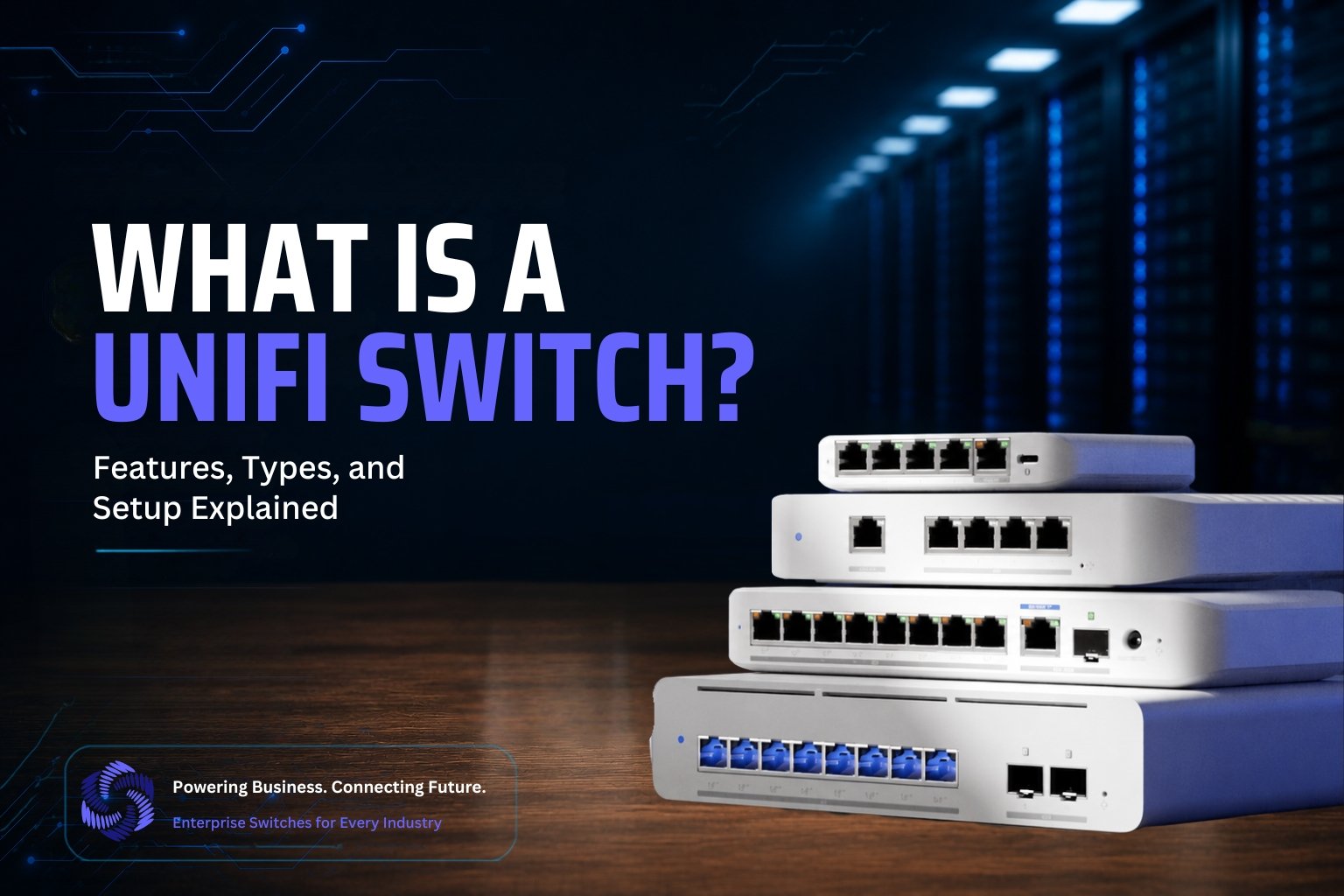
What Is a UniFi Switch?
Ubiquiti manufactures the UniFi Switch, a network switch that connects multiple devices within a local area network (LAN) and efficiently manages data flow between them. Unlike basic unmanaged switches, UniFi Switches are part of the broader UniFi ecosystem, a suite of networking products that work together seamlessly under a single, unified management platform called the UniFi Network Application (formerly UniFi Controller).
At its core, a UniFi Switch serves as a central hub that connects wired devices such as computers, access points, IP cameras, VoIP phones, and servers, enabling them to communicate with one another and access the internet via a router. What sets UniFi Switches apart is their combination of enterprise-level features and user-friendly management, making them suitable for everyone from home network enthusiasts to IT professionals managing large business infrastructures.
Key Characteristics of a UniFi Switch
1. Managed Switching Capabilities
UniFi Switches let administrators manage network traffic with granular control. This includes the ability to configure VLANs (Virtual Local Area Networks), set Quality of Service (QoS) priorities, monitor bandwidth usage, and segment network traffic for better security and performance.
2. Power over Ethernet (PoE) Support
Many UniFi Switch models come with PoE or PoE+ ports, allowing them to deliver both data and electrical power through a single Ethernet cable. This eliminates the need for separate power adapters for devices like access points, IP cameras, and VoIP phones — simplifying installation and reducing cable clutter.
3. Centralized Management via UniFi Controller
One of the biggest advantages of a UniFi Switch is its integration with the UniFi Controller software. This centralized dashboard allows network administrators to monitor, configure, and troubleshoot all UniFi devices — switches, access points, gateways, and cameras — from a single interface, whether on-site or remotely.
4. Scalability
UniFi Switches scale with your network’s needs. Whether you’re starting with a small 8-port switch for a home office or deploying a 48-port switch across an enterprise environment, the UniFi ecosystem supports easy expansion without compromising performance or manageability.
5. Layer 2 and Layer 3 Functionality
Depending on the model, UniFi Switches offer Layer 2 switching (basic data forwarding within a network) or advanced Layer 3 capabilities (routing between different network segments), giving businesses the flexibility to build more complex, segmented network architectures.
Why It Matters?
In simple terms, a UniFi Switch forms the backbone of any UniFi-based network. It doesn’t just connect devices; it intelligently manages how data flows, ensures reliable performance under heavy loads, and provides the visibility and control needed to maintain a secure, efficient network. For anyone looking to build a robust, future-proof network, whether at home or in a professional setting, understanding the role of a UniFi Switch is the first step toward smarter networking.
Types of UniFi Switches
Ubiquiti offers a diverse lineup of UniFi Switches, each designed for different network sizes, budgets, and use cases. Understanding the differences between these series helps you choose the right switch for your home, office, or enterprise deployment.
UniFi Switch Lite
The UniFi Switch Lite series is the entry point into managed UniFi switching, ideal for home networks, small offices, and budget-conscious deployments. Available in 8-port and 16-port configurations (USW-Lite-8-PoE and USW-Lite-16-PoE), these switches offer Gigabit Ethernet speeds with PoE+ support on select ports. Despite their affordability, Lite switches still deliver full Layer 2 managed switching, VLAN support, and integration with the UniFi Network Controller — making them a great starting point for anyone new to the UniFi ecosystem.
UniFi Switch Flex / Flex Mini
The Flex series delivers flexibility for compact deployments. The USW-Flex-Mini is an ultra-portable, unmanaged-style switch perfect for extending a network to a single room or desk setup, while the standard USW-Flex offers a configurable Layer 2 Gigabit switch with auto-sensing 802.3af PoE, featuring 5 RJ45 Gigabit Ethernet ports with 1 PoE input and 4 PoE output links to connected devices. These switches feature weatherproof housing, making them suitable for both indoor and outdoor use, and offer versatile mounting options including wall, ceiling, pole, or magnetic surface mounting. Newer additions like the Flex 2.5G and Flex XG bring multi-gig speeds to this compact, budget-friendly lineup.
UniFi Switch Pro Series
The Pro series targets small-to-medium businesses and prosumers who need more performance, port density, and advanced routing capabilities. This lineup includes the standard Pro switches (Pro 24, Pro 48, with PoE variants), as well as the newer Pro Max and Pro XG lines. The Pro XG line, which launched in late 2025, fills the gap left by older Enterprise switches by offering 10GbE copper downlinks at professional-tier pricing, with configurations ranging from compact 8-port models to 48-port switches featuring 25G SFP28 uplinks for distribution-layer networking. Pro series switches support Layer 3 routing, making them suitable for segmented, multi-VLAN business networks.
UniFi Switch Enterprise Series
Designed for larger organizations and demanding network environments, the Enterprise series delivers high port density, robust PoE budgets, and advanced Layer 3 features. The Enterprise Campus (ECS) series has since succeeded the original Enterprise PoE switches, adding stacking support, MC-LAG, and 100G aggregation capabilities — features essential for building resilient, high-availability network backbones across multiple switches or locations. This series suits organizations that need enterprise-grade reliability, redundancy, and centralized control at scale.
UniFi Switch Aggregation
Aggregation switches serve as the backbone of larger UniFi network deployments, consolidating traffic from multiple access or distribution switches into a single high-speed uplink. The Switch Pro Aggregation, a fully managed Layer 3 switch with 28 10G SFP+ ports and 4 25G SFP28 ports, handles heavy east-west traffic between switches, servers, and storage systems. Businesses typically deploy these switches at the core of a network rather than connecting end-user devices directly, making them essential for organizations running multiple switches, VLANs, or high-bandwidth applications like video surveillance and virtualization.
PoE vs. Non-PoE Models
One of the most important decisions when choosing a UniFi Switch is whether you need Power over Ethernet (PoE) support. PoE switches not only provide network connectivity but also deliver power to PoE-enabled devices such as access points, security cameras, and VoIP phones through the same Ethernet cable, simplifying installation by eliminating the need for separate power supplies. Manufacturers typically denote PoE models with “-PoE” in their name, and these switches prove essential for deployments involving wireless access points, IP cameras, or VoIP systems.
Non-PoE models, on the other hand, are more affordable and sufficient for networks where connected devices have their own power source — such as desktop computers, laptops, or network-attached storage. Ubiquiti offers non-PoE variants for most Pro Max and Pro XG models at lower price points when PoE budget isn’t needed, giving buyers flexibility to save on cost when PoE isn’t a requirement.
Benefits of Using UniFi Switches
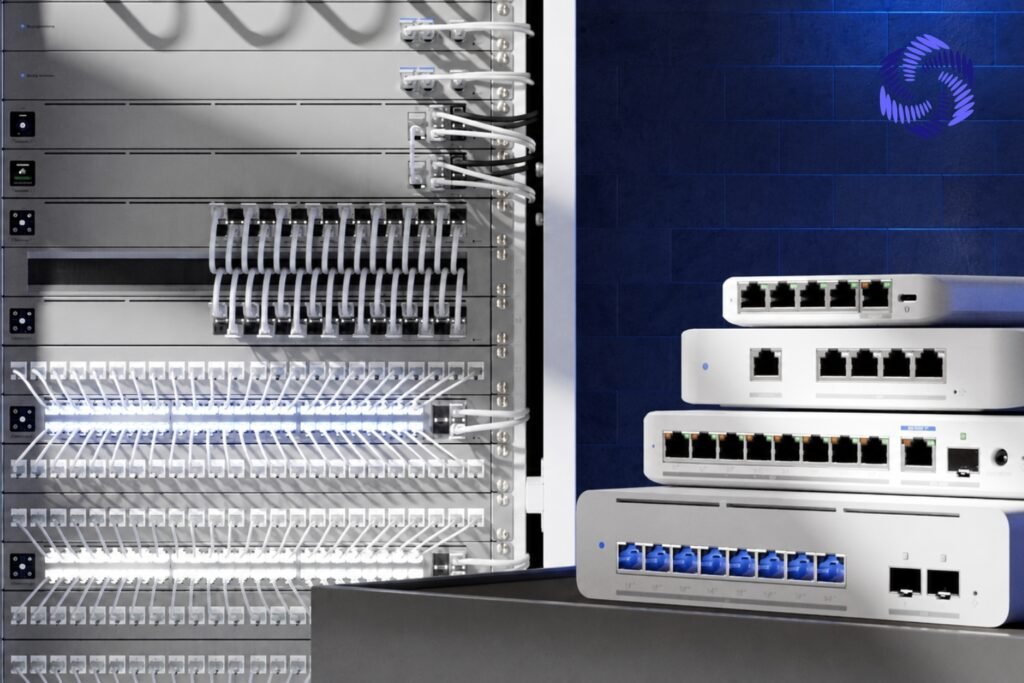
UniFi Switches have become a popular choice for businesses and home network enthusiasts alike, not just because of their hardware capabilities, but because of the overall ecosystem experience they provide. Here’s why so many IT professionals and network administrators are choosing UniFi Switches over other options.
Centralized Management with Other UniFi Devices
One of the standout advantages of UniFi Switches is how seamlessly they integrate with the rest of the UniFi ecosystem. A single UniFi Network Application or cloud console manages switches, access points, security cameras, gateways, and even door access systems.
This means administrators don’t need to juggle multiple logins, dashboards, or third-party tools to monitor their network. Instead, everything — from bandwidth usage and connected clients to firmware updates and VLAN configurations — is visible and controllable from one unified interface. For businesses managing multiple locations, this centralized approach also allows remote monitoring and configuration, saving valuable time and reducing the need for on-site visits.
Scalability for Growing Networks
UniFi Switches grow alongside your business. Whether you’re starting with a small 8-port switch for a home office or scaling up to a multi-switch enterprise deployment with hundreds of connected devices, the UniFi ecosystem supports that growth without requiring a complete infrastructure overhaul.
Features like VLAN segmentation, link aggregation, and stacking (available in higher-end models) make it easy to expand your network’s capacity and complexity over time. This scalability means businesses can start small and invest incrementally as their networking needs evolve, rather than committing to expensive infrastructure upfront.
Cost-Effectiveness Compared to Enterprise Competitors (Cisco, Aruba)
Perhaps one of the most compelling reasons businesses choose UniFi Switches is the price-to-performance ratio. Traditional enterprise networking brands like Cisco and Aruba often come with steep hardware costs, licensing fees, and ongoing support contracts that can strain smaller IT budgets.
UniFi Switches, by contrast, offer comparable managed switching features — VLANs, PoE, Layer 3 routing, QoS, and more — at a fraction of the cost, with no recurring licensing fees for basic functionality. This makes enterprise-grade networking accessible to small businesses, growing companies, and even ambitious home users who want professional-level control without professional-level pricing.
Clean UI/UX for Beginners and Professionals Alike
Networking hardware has traditionally required a steep learning curve, often involving command-line interfaces and complex configuration syntax. UniFi changes that with its intuitive, visually clean dashboard that simplifies network management without sacrificing depth.
Beginners can set up a functional network in minutes using guided setup wizards and straightforward toggles, while advanced users still have access to granular controls like port-based VLAN tagging, traffic prioritization, and detailed analytics. This balance of simplicity and power is a major reason why UniFi has earned a loyal following among both networking novices and seasoned IT professionals.
How to Set Up a UniFi Switch (Step-by-Step)?
Setting up a UniFi Switch is straightforward, even for those new to managed networking. Follow these steps to get your switch up and running as part of your UniFi network.
Step 1: Unboxing and Hardware Connection
Begin by carefully unboxing your UniFi Switch and checking that all included accessories — power adapter (if required), mounting brackets, and documentation — are present. Most rackmount models come with rack ears, while compact models like the Flex series include wall or magnetic mounting options.
Next, connect the switch to power. Larger switches typically use a standard AC power cable, while an upstream switch or dedicated PoE adapter can power compact models like the USW-Flex or Flex Mini. Once powered on, connect an Ethernet cable from one of the switch’s uplink ports to your router or an existing UniFi gateway. This establishes the switch’s connection to your main network and the internet.
At this stage, you can also begin connecting your wired devices — computers, access points, cameras, or VoIP phones — to the remaining ports on the switch.
Step 2: Adopting the Switch via UniFi Controller/App
- Once you connect and power the hardware, you must “adopt” the switch into your UniFi ecosystem before managing it. You can do this through the UniFi Network Application, which runs on a UniFi Cloud Gateway, a self-hosted UniFi OS Server, or the UniFi mobile app.
- Open the UniFi Network Application and navigate to the Devices section. Your new switch appears as “Pending Adoption” once the network detects it. Click Adopt, and the controller will push the necessary configuration and firmware updates to the switch automatically. This process usually takes a few minutes, after which the switch status changes to “Connected” or “Online,” confirming it’s now fully managed within your UniFi environment.
- If the switch doesn’t appear automatically, ensure it’s on the same network/VLAN as your controller, or use the UniFi mobile app’s Bluetooth adoption feature for local setup.
Step 3: Basic Configuration (VLANs, Port Profiles)
- With the switch adopted, you can begin customizing its configuration to match your network’s needs. Two of the most important settings to configure are:
- VLANs (Virtual LANs): If your network requires segmentation — for example, separating guest Wi-Fi, IoT devices, or security cameras from your main network — you’ll need to create VLANs under Settings > Networks, then assign them to specific switch ports. This improves both security and network performance by isolating traffic types.
- Port Profiles: UniFi allows you to create reusable port profiles that define how each port behaves — whether it’s a standard access port, a trunk port carrying multiple VLANs, or a PoE-enabled port for powering access points or cameras. Under the switch’s settings, click on individual ports to assign a profile, enable or disable PoE output, or set port-specific speed and duplex settings.
- For most home or small business setups, the default “All” profile works fine, but as your network grows, custom profiles help maintain organization and control.
Step 4: Connecting to Other UniFi Devices (APs, Gateway)
- The final step is integrating your switch with the rest of your UniFi hardware. Connect your UniFi Access Points to PoE-enabled ports on the switch — the switch will automatically supply power and network connectivity through a single Ethernet cable, and the AP should appear in the controller for adoption just like the switch did.
- Similarly, ensure your switch is properly uplinked to your UniFi Gateway (such as a Cloud Gateway Ultra or Dream Machine), which handles routing, firewall rules, and internet connectivity for the entire network. Once everything is connected, you’ll be able to view your entire network topology — gateway, switch, access points, and connected clients — in a single visual map within the UniFi Network Application, giving you full visibility and control over your infrastructure.
- With these steps complete, your UniFi Switch is fully operational and integrated into your broader network, ready to handle traffic, deliver PoE power, and scale as your needs grow.
AI-Driven Zero-Touch Configuration with CogniKor Automation
Modern enterprise networks demand speed, accuracy, and consistency — and manual switch configuration simply can’t keep pace with today’s deployment timelines. This is where CogniKor AI Automation transforms the game, enabling rapid, zero-touch deployment of enterprise switches by automatically generating and validating initial configurations based on your specific business requirements, network architecture, and vendor standards.
The process is refreshingly simple: network engineers provide key deployment parameters — switch model, VLAN structure, IP addressing schemes, routing protocols, security policies, and interface requirements — and CogniKor takes care of the rest. Leveraging intelligent automation, the platform generates production-ready configurations tailored for leading networking vendors, including Cisco, Aruba, Huawei, Juniper, and Fortinet, eliminating the need for engineers to manually write configurations line-by-line for each device.
But CogniKor doesn’t stop at configuration generation. Before any deployment goes live, the platform performs thorough configuration validation, automated compliance checks, and best-practice recommendations, ensuring every switch adheres to organizational standards and industry benchmarks. This proactive validation catches potential misconfigurations and security gaps before they ever reach production — a critical safeguard for enterprise-scale networks.
The result is a dramatic shift in how network deployments happen: manual effort is significantly reduced, human configuration errors are minimized, provisioning timelines are accelerated, and — perhaps most importantly — network configurations remain consistent across every site, switch, and deployment. For enterprises managing large, multi-vendor, multi-site infrastructures, CogniKor’s AI-driven approach turns what used to take hours of manual configuration work into a streamlined, reliable, and repeatable process.
FAQ’s
The Lite series is designed for budget-friendly home and small office use, the Pro series offers higher performance and Layer 3 routing for growing businesses, and the Enterprise series (now the Enterprise Campus line) provides high port density, stacking, and advanced features for large-scale deployments.
Yes, UniFi Switches are popular among home network enthusiasts due to their combination of enterprise-grade features, ease of use, and affordability. Compact models like the UniFi Switch Lite or Flex Mini are especially well-suited for home networking needs.
Absolutely. UniFi offers Pro, Pro Max, Pro XG, and Enterprise Campus series switches specifically designed for enterprise environments, supporting high port counts, 10G/25G uplinks, Layer 3 routing, and stacking for large-scale, high-availability network infrastructure.
Multiple UniFi Switches can be managed simultaneously through a single UniFi Network Application dashboard, which allows administrators to monitor, configure, and troubleshoot all connected switches, access points, and other UniFi devices from one centralized interface — even across multiple locations.
For many small-to-medium businesses, yes. UniFi Switches offer comparable managed switching features — including VLANs, PoE, and Layer 3 routing — at a significantly lower cost than enterprise brands like Cisco or Aruba, without the recurring licensing fees often associated with those platforms.
Conclusion
At the end of the day, your network is only as good as the hardware holding it together — and that’s exactly where a UniFi Switch earns its place. Whether you’re setting up a smart home, managing a small business, or building out an enterprise network across multiple sites, UniFi Switches give you the perfect blend of powerful performance, seamless centralized management, and budget-friendly pricing that’s hard to beat. So if you’ve been putting off that network upgrade or still relying on outdated, unmanaged hardware, now’s the time to make the switch — literally. Explore the UniFi lineup, find the model that fits your needs, and experience firsthand why so many home users and IT professionals are making UniFi their go-to choice for smarter, faster, and more reliable networking.