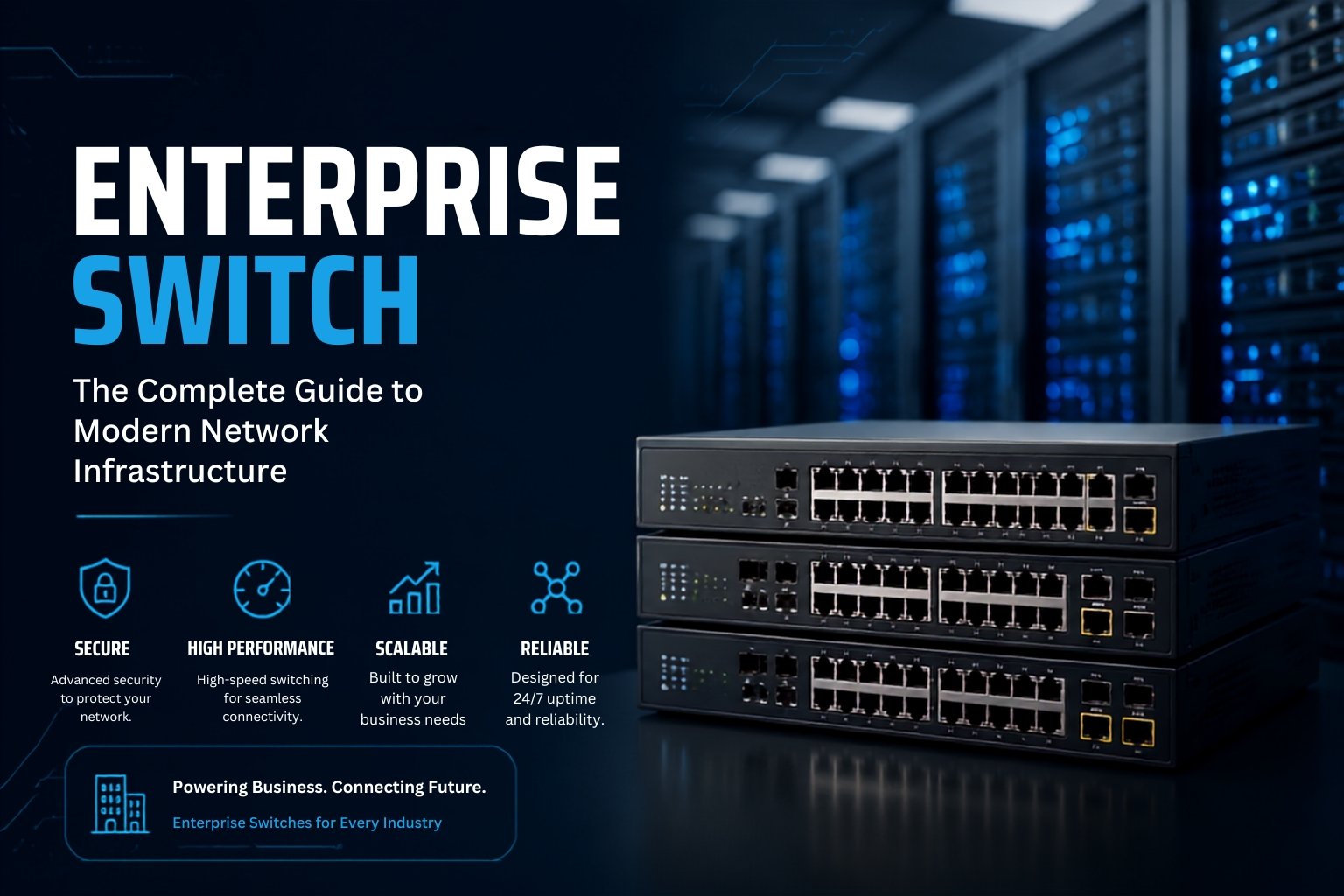
Learn what an enterprise network switch is, explore its key types, features and benefits, and see how automation simplifies switch configuration and migration.
Introduction
Enterprise networks depend on reliable switching to connect users, devices, servers and business applications. An enterprise network switch provides the performance, security and management capabilities required to support larger and more complex network environments.
Choosing the right enterprise switch is not only about port count. Businesses also need to consider network speed, scalability, routing, security, redundancy and how easily the switch can be configured or migrated in the future.
What Is an Enterprise Network Switch?
An enterprise switch is a managed network device designed to connect and control network traffic across business environments.
Compared with basic unmanaged switches, enterprise switches provide greater visibility and control over the network. Depending on the model, they may support VLANs, Layer 3 routing, Quality of Service (QoS), access control, redundant connections and centralized configuration.
They are commonly used across offices, campuses, branches and data centers where network reliability and scalability are important.
Key Features of Enterprise Switches
Enterprise switches are designed for environments where performance, security and centralized management matter.
Common features include:
- VLAN support: Separates network traffic into logical groups.
- Layer 2 and Layer 3 capabilities: Supports switching and, on compatible models, IP routing.
- Quality of Service: Helps prioritize important applications such as voice and video.
- Network security: Features may include ACLs, port security and access controls.
- Redundancy: Supports resilient network designs and backup links.
- Centralized management: Allows IT teams to configure and manage switches more efficiently.
- Scalability: Makes it easier to expand networks as business requirements grow.
Types of Enterprise Switches
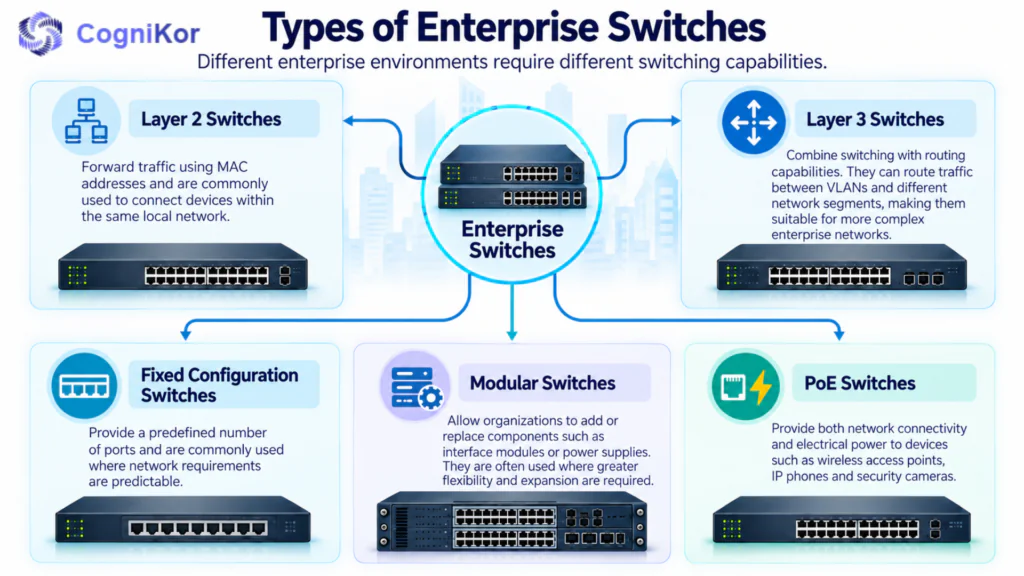
Different enterprise environments require different switching capabilities.
Layer 2 Switches
Layer 2 switches forward traffic using MAC addresses and are commonly used to connect devices within the same local network.
Layer 3 Switches
Layer 3 switches combine switching with routing capabilities. They can route traffic between VLANs and different network segments, making them suitable for more complex enterprise networks.
Fixed Configuration Switches
Fixed switches provide a predefined number of ports and are commonly used where network requirements are predictable.
Modular Switches
Modular switches allow organizations to add or replace components such as interface modules or power supplies. They are often used where greater flexibility and expansion are required.
PoE Switches
Power over Ethernet switches can provide both network connectivity and electrical power to devices such as wireless access points, IP phones and security cameras.
Benefits of Enterprise Switches
A properly selected enterprise switch can help improve network performance, security and operational efficiency.
Businesses can use enterprise switches to segment traffic, manage connected devices, support high-bandwidth applications and create more resilient network designs.
Centralized management can also make network administration easier, particularly when multiple switches or locations are involved.
Most importantly, enterprise-grade switching provides a stronger foundation for future network growth and infrastructure upgrades.
How to Choose the Right Enterprise Switch
The best enterprise switch depends on the requirements of the network rather than a single specification.
Port Requirements
Start by identifying how many users, access points, phones, cameras and other devices need physical connections.
Allowing reasonable room for future expansion can help avoid replacing hardware too quickly.
Network Speed
Consider the speed required by connected devices and uplinks. Enterprise networks may use combinations of 1GbE, multigigabit Ethernet, 10GbE or faster connections depending on workload and architecture.
Layer 2 or Layer 3
A Layer 2 switch may be sufficient for basic local switching, while networks requiring inter-VLAN routing or more advanced traffic control may benefit from Layer 3 capabilities.
PoE Requirements
If the switch will connect wireless access points, IP phones or cameras, check the required PoE standard and total power budget.
Management and Scalability
The switch should fit into the organization’s wider network management strategy. Consider centralized management, automation capabilities, vendor ecosystem and future expansion before making a final decision.
How AI Simplifies Enterprise Switch Configuration
Configuring enterprise switches manually can become time-consuming when networks contain many devices, VLANs, interfaces and policies.
AI-powered network automation can simplify this process by helping generate, validate and standardize switch configurations based on network requirements.
Instead of manually building every configuration from the CLI, network teams can use structured deployment information such as switch models, VLANs, port assignments and routing requirements to create more consistent configurations.
CogniLink by CogniKor is designed to automate multi-vendor switch configuration workflows. It can evaluate network structure, VLAN design and port roles to help generate deployment-ready configurations while reducing repetitive manual work.
This is especially useful for organizations managing multiple switches or standardized enterprise deployments.
Migrating Enterprise Switch Configurations Between Vendors
Replacing an existing enterprise switch can become more complicated when the new hardware comes from a different vendor.
Cisco, HPE Aruba, Huawei, Juniper and other vendors use different command structures, interface naming conventions and configuration logic. Manually rebuilding VLANs, interfaces, routing and network policies can therefore require significant engineering effort.
SwitchKor helps automate switch configuration migration by translating legacy switch configurations to new hardware while maintaining the intended network policies and configuration logic.
This can make SwitchKor useful for:
- hardware refresh projects
- vendor migrations
- end-of-life switch replacement
- network standardization
- multi-vendor infrastructure projects
Instead of manually recreating every switch configuration, network teams can use automation to reduce repetitive migration work and validate configurations before deployment.
Explore SwitchKor to simplify your next enterprise switch migration.
FAQ’s
Enterprise switches generally provide more advanced management, security, scalability and redundancy features than basic switches designed for smaller environments.
Layer 2 switches primarily forward traffic using MAC addresses, while Layer 3 switches can also route IP traffic between different network segments or VLANs.
Consider port count, network speed, uplink requirements, Layer 2 or Layer 3 functionality, PoE requirements, management features and future scalability.
Yes, but configuration syntax and supported features vary between vendors. Migration automation tools such as SwitchKor can help translate and validate configurations when moving between supported platforms.
Conclusion
Enterprise switches provide the connectivity, management and scalability required to support modern business networks.
Choosing the right switch starts with understanding your network requirements, but deployment and migration are equally important. As networks grow, automation can help reduce repetitive configuration work and simplify multi-vendor environments.
CogniKor solutions such as CogniLink and SwitchKor help network teams automate switch configuration and vendor migration workflows, allowing engineers to focus on network design and operations rather than repetitive configuration tasks.